To use this theme you need to install WordPress engine. But before, it necessary to create MySQL database and user via PhPMyAdmin for future WordPress Installation. PhpMyAdmin is a third-party database administration tool written in PHP. Its web user interface enables the easy administration of one or more MySQL databases. Usually hosting providers allow their user to log in PhPMyAdmin directly from CPanel or through other similar hosting control panel. If you can not find link for your PhPMyAdmin - please contact to your hosting provider and request all necessary information. Your hosting company must provides you with all credentials for Hosting Control Panel / FTP / MySQL server. As a rule, all hosting companies provide their customers with ability to submit a ticket about any issue, besides you may check the "Contacts" section on website of your hosting provider and ask requested information.
If you have MySQL database and user yet - you may pass the described steps below. Also if you already installed WordPress - just go to the "Theme and Demo Content Installation" section.
To create a database and a user please login to your PhPMyAdmin control panel and follow the detailed instructions with screenshots below:
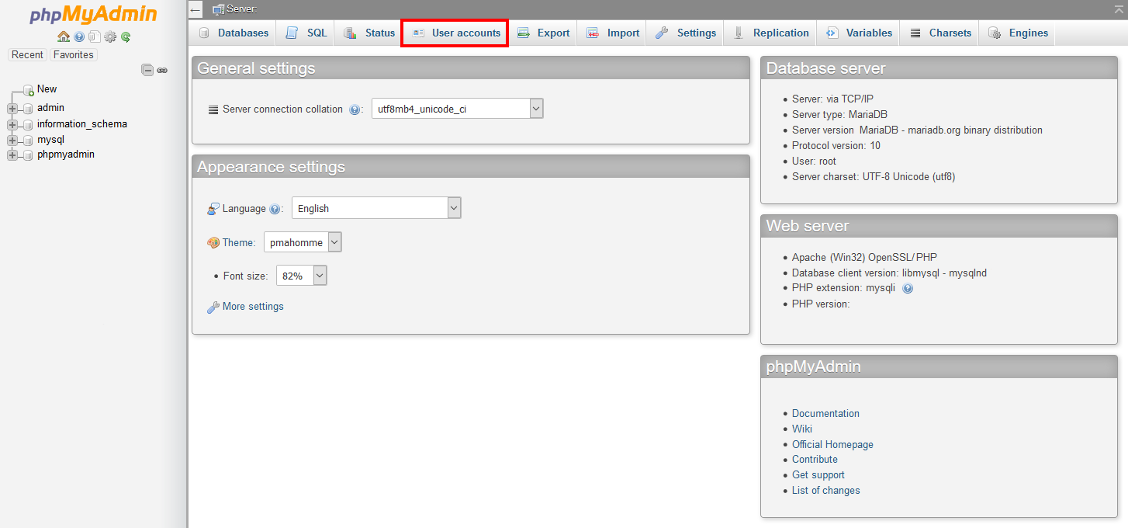
1. Log in to your PhPMyAdmin panel and click "User accounts":
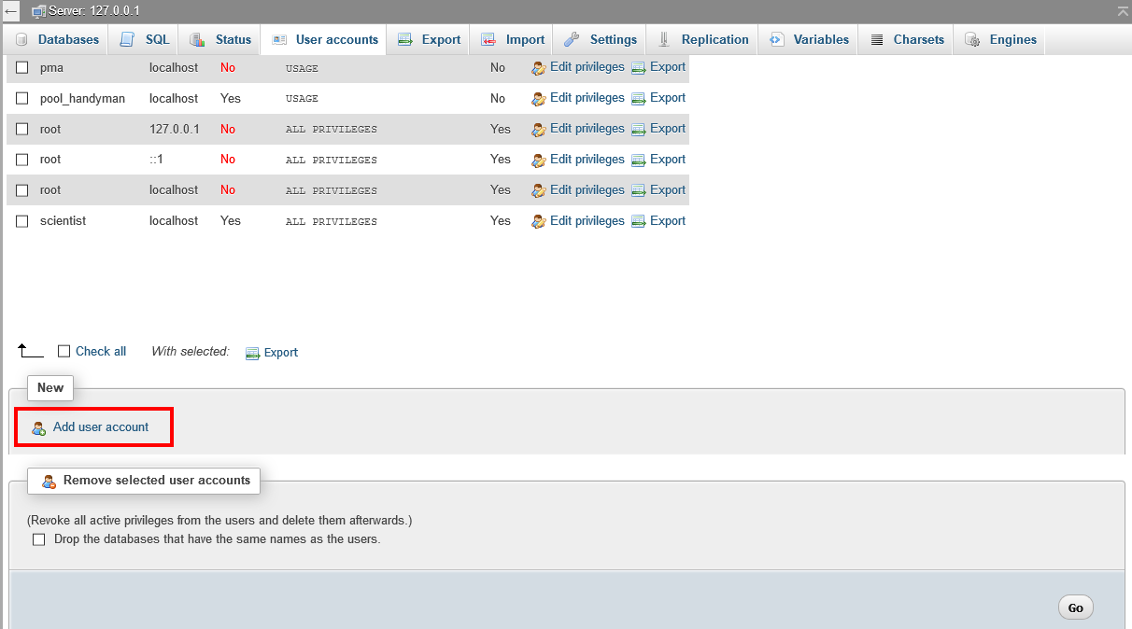
2. After that click "Add user account":
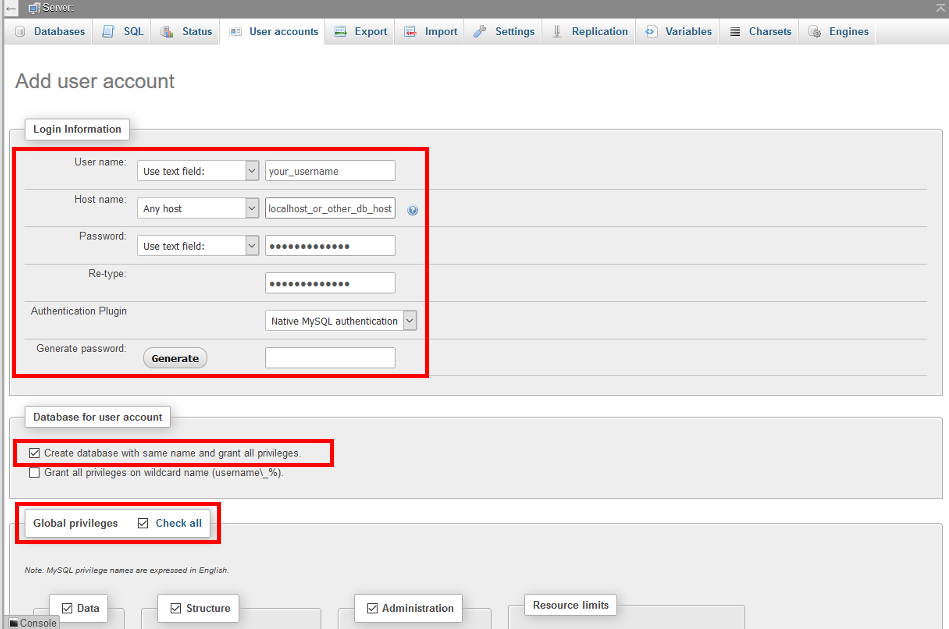
3. Fill in login information for your database. Also in "Database for user account" section check "Create database with same name and grant all privileges". This option allow you at the same time to create database for your user. It saves your time.
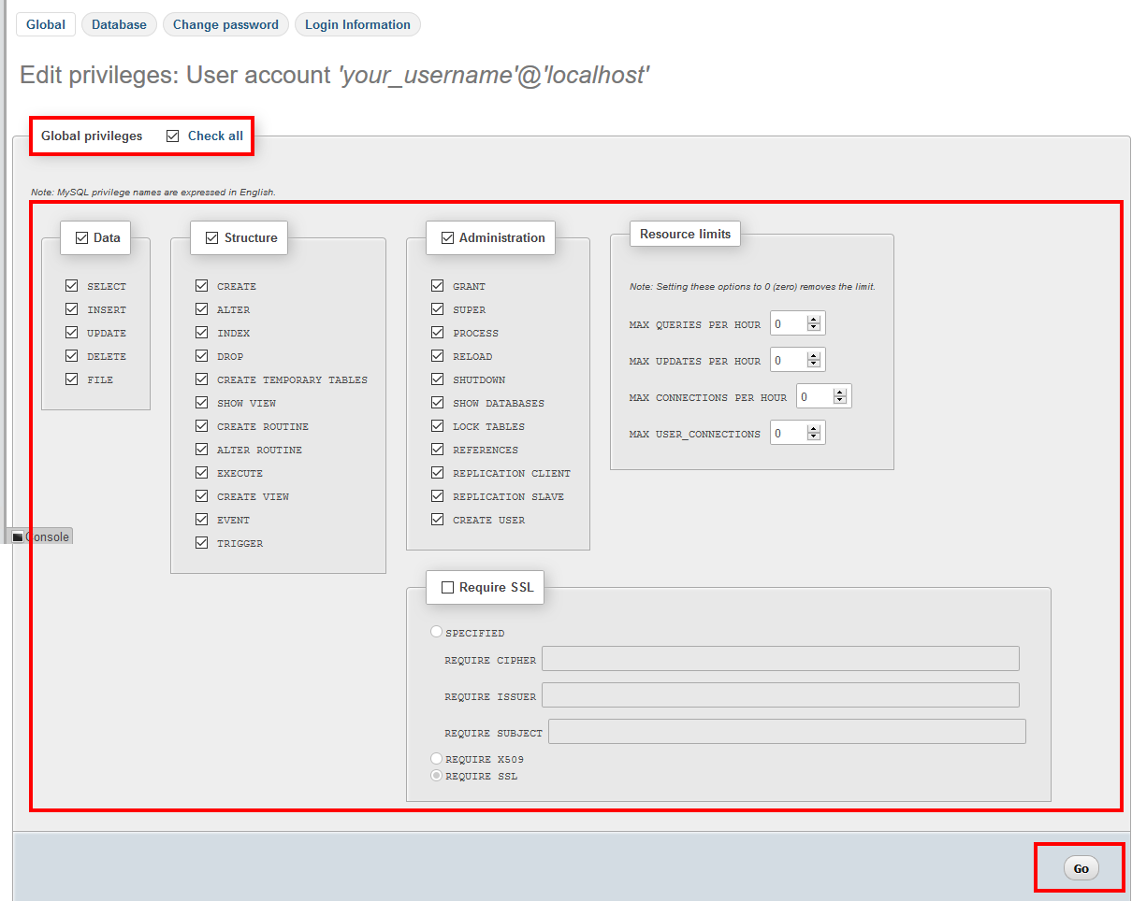
4. Besides, please check the privileges for your database user and click "Go" button:
5. After this step you will see message like this:
The MySQL database and user are created. Now we can install WordPress. Please view the next section about WordPress Installation.
You may also visit these useful links, the can help you to resolve and fix various issues regarding MySQL databases and PhPMyAdmin: