This plugin displays Instagram photos from any non-private Instagram accounts, either in the same single feed or in multiple different ones. It is Compatible with the Instagram API changes, simple to set up, displays photos from multiple Instagram accounts in the same feed or in separate feeds, completely customizable, responsive and mobile ready, allows you to use your own Custom CSS and JavaScript and has other useful benefits.
To install the plugin, please use this instruction:
Install the Instagram Feed plugin either via the WordPress plugin directory, or by uploading the files to your web server (in the /wp-content/plugins/ directory).
Activate the Instagram Feed plugin through the "Plugins" menu in WordPress.
Navigate to the "Instagram Feed" settings page to obtain your Instagram Access Token and Instagram User ID and configure your settings.
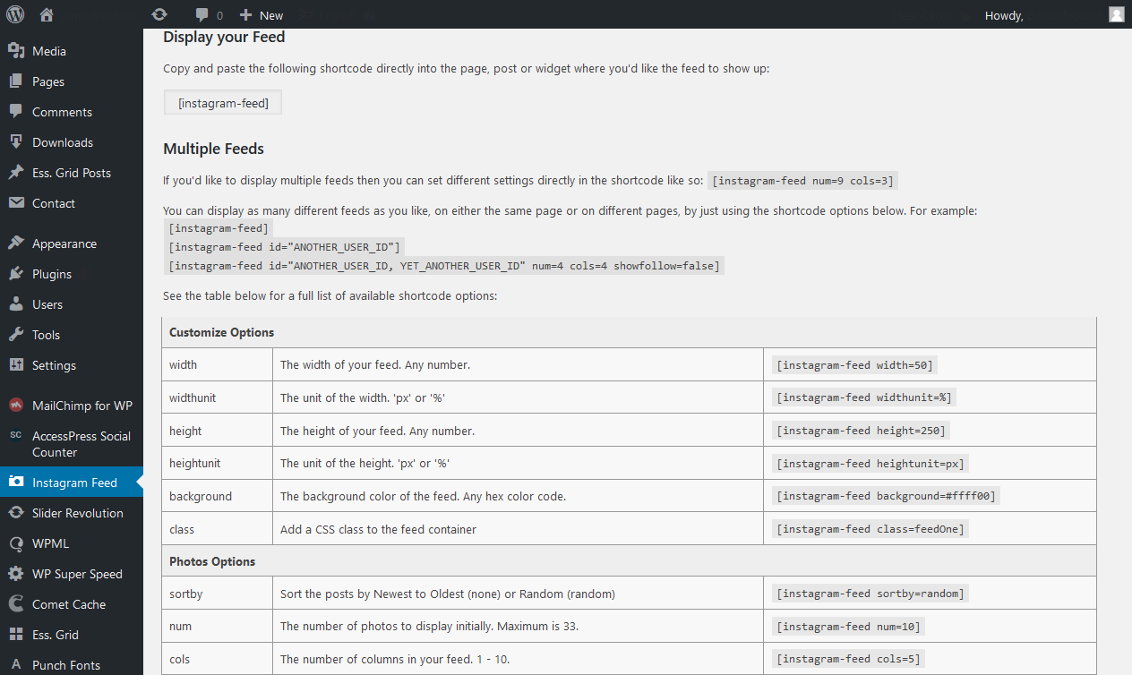
Use the shortcode [instagram-feed] in your page, post or widget to display your Instagram photos.
You can display multiple Instagram feeds by using shortcode options, for example: [instagram-feed num=6 cols=3]
In order to display your Feed and Single Instagram Feed, please copy and paste the following shortcode directly into the page, post or widget where you'd like the Instagram feed to show up: [instagram-feed]
If you'd like to display multiple Instagram feeds then you can set different settings directly in the shortcode like so: [instagram-feed num=9 cols=3]
You can display as many different Instagram feeds as you like, on either the same page or on different pages, by just using the shortcode options below. For example: